
Mojo: Reels and Video Captions
Dailymotion IncPhotography
4.51.76K Reviews
- Version
- 3.27.0
- Installs
- 10.00M
- Age Rating
- Everyone
Screenshots

Our Review of Mojo: Reels and Video Captions
 Analysis by Appyee
When I’m deciding whether a creative app is worth keeping, I start with a practical question: can it help me make something I’d actually post, without turning a quick task into a long editing session? Mojo: Reels and Video Captions is aimed at that in-between space: more designed than a basic trim-and-share tool, but less daunting than building every visual from scratch. I see its appeal most clearly when a short social post needs a little polish and motion.
What the free starting point tells me
Mojo is a free photography app from Dailymotion Inc, with optional in-app purchases listed from $9.99 to $39.99 per item. That makes it possible to try the app before deciding whether its paid options make sense for your routine. I’d treat the free access as a chance to test the actual workflow, not as a promise that every template or editing choice is included at no cost.
The app has a 4.5 average from around 241,000 ratings, and it has passed 10 million installs. Those figures suggest that it has found a sizable audience, though popularity alone can’t tell you whether its style suits your content. It’s rated for Everyone, and the listed current version is 3.21.3, with Android support beginning at version 10.
Where the value comes from
For me, the useful part is having design and video elements together: animated text, templates, photo adjustments, captions, and transitions can support a short piece of content without requiring a separate tool for every step. The value is less about replacing a full editing setup and more about reducing the effort between having an idea and having a social-ready draft.
That convenience matters most when visual consistency is important. If I’m making a few posts for a small shop, a personal project, or a recurring social series, a template can give each one a related look while leaving room to change the image, wording, and colors. I’d still check that the template supports the amount of text I need; a design that looks tidy with a short phrase can become crowded when the message grows.
Getting Creative with Mojo
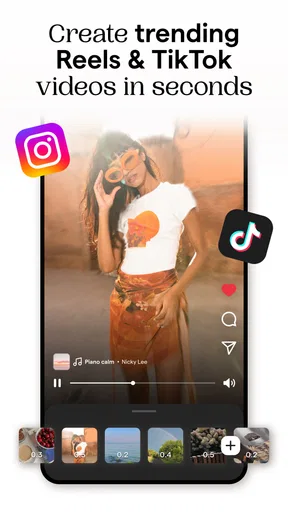
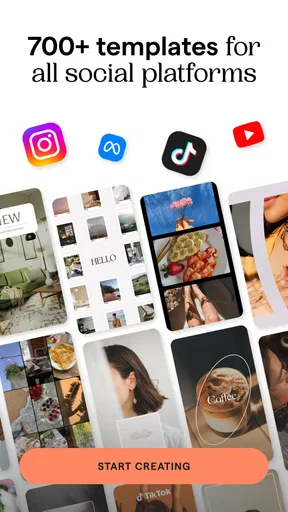
First things first, let’s dive into what Mojo is all about. This app is like having a mini design studio in your pocket. It’s mainly geared towards creating animated stories and posts for platforms like Instagram, Snapchat, and even Facebook. The app offers a plethora of templates that you can customize to your heart's content. And trust me, these aren’t your run-of-the-mill templates; they’re sleek, modern, and super engaging.
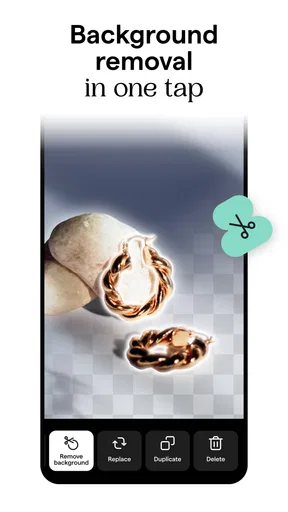
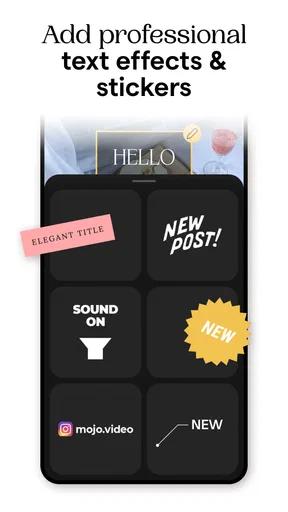
What really got me hooked was the ease of use. I’m not exactly a design whiz, but Mojo makes you feel like one. The interface is intuitive, and everything’s pretty much drag-and-drop. Whether you want to add animated text, stickers, or change up the background, it’s all just a tap away. Plus, the app’s built-in photo editor is pretty robust, allowing you to tweak images directly within the app.
Features That Shine
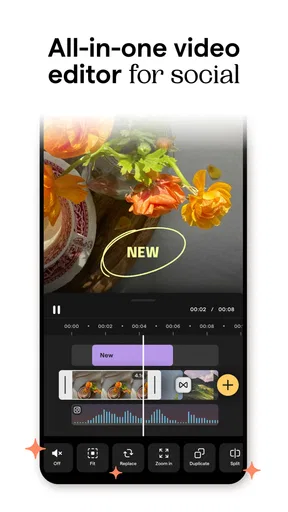
Let’s talk about some of the standout features. One of my favorites is the extensive collection of animated text styles. These bring a whole new level of flair to your stories. And if you're into video editing, Mojo's got you covered with its video creation capabilities. You can stitch together videos and add transitions that look surprisingly professional.
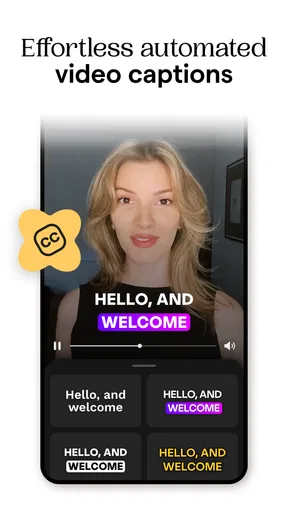
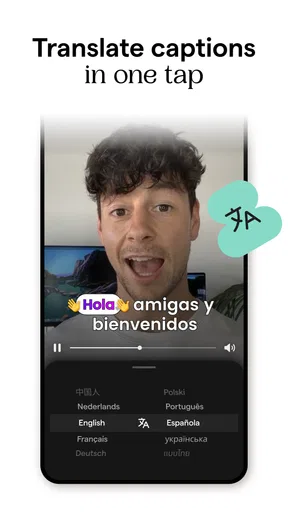
The app also supports video captions, which is a feature I didn’t know I needed until I tried it. Captions are increasingly important, especially when you’re targeting audiences who might be watching without sound. Mojo offers a variety of fonts and styles for captions, making it easy to match them with your video’s aesthetic.
Useful workflows and tradeoffs
A small but helpful habit is to decide on the post’s message before choosing its design. I’d write the caption text first, then select a layout that gives it enough room, rather than squeezing a long announcement into a template built for a few words. For a product clip, I’d also keep the most important detail visible early; viewers may scroll away before an elaborate animation has finished.
Captions can make a video easier to follow when sound is off, but they are not a substitute for checking the result. I’d review the wording, timing, and line breaks before sharing, especially if the clip includes names, prices, or a specific call to action. A quick proofread can prevent a polished-looking post from carrying an avoidable typo. If exact subtitle timing or detailed control over every edit matters more than speed, a dedicated video editor may be a better fit.
Customization and Accessibility
Customization is key with Mojo. You can adjust colors, font sizes, and even the animation speed to make sure your content is just right. I also appreciate that the app allows you to save your creations in high resolution, which is perfect for maintaining quality across different platforms.
Another thing worth mentioning is the accessibility of the app. It’s available for both Android and iOS, and the performance is pretty smooth on both platforms. The app does offer in-app purchases for premium features, which unlocks more templates and editing options. But even the free version is quite generous with what it offers.
A realistic day-to-day test
Imagine I’ve taken a few photos at a weekend market and want to tell people that a new item is available. I could choose one clear image, add a short line of text, and use a brief video clip to show a detail that a still photo misses. A consistent color choice and restrained animation would help the post feel intentional without making it look like a different brand from one slide to the next.
In that situation, Mojo is most helpful as a quick presentation layer. I wouldn’t use it to rescue poorly lit footage or to build a long, carefully paced story with lots of cuts. I’d first pick the strongest source image or clip, then use the app to add the visual treatment. That order saves time and keeps the design from distracting from the thing I’m actually trying to show.
How it fits beside other editing apps
Compared with a basic phone editor, Mojo is more focused on designed social posts: templates and animated typography give a draft a more composed look without starting from a blank canvas. A general-purpose video editor is usually the better choice when I need more hands-on control over a longer timeline or precise sequencing. A separate graphic-design app can be preferable for static layouts where motion and video captions are unnecessary.
That distinction is useful when choosing a tool. Mojo makes sense when the final result should feel like a short, branded social asset, not merely a trimmed clip. It is less compelling if I only need to remove the beginning of a video, add a simple cut, or export footage with no extra styling. In those cases, the editor already on my phone may be quicker and involve fewer steps.
Who is likely to get the most from it?
I’d recommend giving Mojo a try if you regularly make stories, short promotional clips, or visual updates and want a template-led way to add motion and captions. It can suit creators who prefer choosing and adapting a design over adjusting every element manually. A small business owner can use it for a product highlight; someone sharing a hobby can make a more readable clip; and a casual poster can add a little structure to photos that would otherwise go up one at a time.
I’d skip it if I rarely post visual content, want a fully manual editing process, or need a specialist tool for complex video work. It also may not be the right choice if you dislike working within preset layouts or don’t want to consider optional purchases. Before paying, I’d spend time with the free version and see whether the available choices cover the kinds of posts I make. The listed purchase range is broad enough that I wouldn’t assume a particular paid option is necessary without checking it in the app.
Why You Should Give It a Go
So, why should you consider downloading Mojo? If you’re someone who loves creating visually appealing content without spending hours on design, this app is a no-brainer. It’s perfect for influencers, small business owners, or just about anyone who wants to up their social media game.
For those of us who aren’t professional designers, Mojo makes it possible to create content that looks like it was made by one. It’s user-friendly, packed with features, and constantly updated with new templates and styles.
My buy-or-skip verdict
My recommendation is to start free and judge the app by a real task, not by browsing templates alone. Make one post you genuinely plan to share, check whether you can shape it to your taste, and notice how much editing remains before it feels finished. That trial will tell you more about the value of paid choices than a quick look at the purchase range.
Overall, Mojo: Reels and Video Captions is a fantastic tool for anyone looking to enhance their social media presence. It’s an app that combines creativity with functionality, and once you start using it, you’ll wonder how you ever managed without it. So go on, give it a whirl and watch your stories come to life!
Verdict
Strengths of Mojo: Reels and Video Captions
- Intuitive user interface for easy navigation.
- Wide range of templates to choose from.
- High-quality export options available.
- Regular updates with new features.
- Seamless integration with social media platforms.
Limitations of Mojo: Reels and Video Captions
- Limited free features; in-app purchases needed.
- Occasional lag on older devices.
- Watermark on videos without subscription.
- Requires internet connection for full functionality.
- Some templates lack customization options.
Similar Picks in This Category
View All
Google Photos
Google LLC4.4

Gallery
Google LLC4.2

Picsart AI Photo Editor, Video
PicsArt, Inc.3.9

B612 AI Photo&Video Editor
SNOW Corporation4.1

BeautyPlus-Selfie Photo Editor
PIXOCIAL TECHNOLOGY (SINGAPORE) PTE. LTD.4.5

Remini - AI Photo Enhancer
Bending Spoons4.1
Frequently Asked Questions
What features does Mojo offer for creating reels and video captions?
Mojo provides a wide range of features, including customizable templates, animated text, and a variety of fonts and styles to enhance your videos. It also offers tools for adding music and other multimedia elements, making it easy to create eye-catching and professional-looking content for your social media platforms.
Is Mojo user-friendly for beginners?
Yes, Mojo is designed with an intuitive interface that is accessible for beginners. It offers a step-by-step guide on how to use its features and create engaging video content. The drag-and-drop functionality and pre-designed templates make it easy for users with no prior editing experience to produce high-quality reels and captions.
Are there any subscription costs associated with Mojo?
Mojo offers both a free version and a pro subscription. The free version includes basic features and templates, while the pro subscription unlocks additional templates, advanced editing tools, and exclusive content. Pricing for the pro version can vary, so it’s advisable to check the app store for the latest subscription details.
Can I use Mojo on both Android and iOS devices?
Yes, Mojo is available for both Android and iOS platforms, ensuring a seamless experience across devices. Whether you are using a smartphone or a tablet, Mojo’s features are optimized for both operating systems, allowing you to create and edit content on the go without any compatibility issues.
How does Mojo handle video quality and exports?
Mojo supports high-resolution video exports, so the quality of your videos remains intact. You can choose from various export settings to optimize for different platforms, ensuring your content looks great on Instagram, TikTok, or any other social media. The app also allows you to save videos directly to your device for easy sharing.
